






Whois & DNS Lookup
Look up anything about a domain or IP address in one place: who registered it and when it expires, every DNS record, and a full health check of its email setup. SPF, DKIM and DMARC are analysed, not just displayed, MX servers are checked and the mail server addresses are tested against twelve blacklists, with each problem explained and a fix suggested.
- Whois + RDAP
- SPF, DKIM, DMARC
- 12 blacklists
Check the other side of the mail Get a free inbox, send it a message and inspect where it came from.

Enter a domain above and press Look up. Results are cached for an hour to keep the service fast for everyone.
Public DNS and registration data only. Lookups are cached and rate limited, so a record you changed minutes ago may still show its old value.
What you get
Built to be quick, clear and private.
Registrar, registration and expiry dates, domain age, lock status, name servers and DNSSEC, with warnings for new, expiring or held domains.
Every include is followed and counted against the 10-lookup limit, with the full tree shown and loops, ptr and +all flagged.
Key strength, revoked or test-mode keys, policy strength, reporting addresses and external report authorisation, all in plain English.
Mail servers, their addresses, reverse DNS and provider, plus 12 IP blacklists and 2 domain blacklists with delisting links.
How it works
Three steps from start to result.
- Enter a domain or IP
Type a domain, a web address, an email address or an IP address. The tool picks out the domain for you.
- Choose what to look at
Switch between Whois, DNS records, the email authentication check, and MX with blacklist. Each tab runs its own checks.
- Fix what it finds
Every problem comes with a reason and a suggested fix. Copy the report or download it as JSON to share with your team.
Reading a domain's email setup
Email depends on a handful of DNS records that most people never look at. MX records say which servers receive mail for the domain. SPF lists which servers may send mail as the domain. DKIM publishes the public key used to check signatures, and DMARC tells receivers what to do when those checks fail and where to send reports. When any of them is missing or wrong, legitimate mail is delayed or lands in spam, and forged mail is easier to send.
SPF has a hidden trap: receivers stop after ten DNS lookups. Every include, a, mx, ptr and exists term costs one, and each included service can add more, so a record that looks short can quietly pass the limit and fail for everyone. This tool follows every include, counts the real total and shows the whole tree so you can see which services use the budget.
Whois and RDAP answer a different question: who stands behind a domain. The registration date, expiry date, registrar and lock status tell you whether a domain is established or brand new, whether it is about to lapse, and whom to contact about abuse. Brand-new domains are a common sign of phishing, which is why age is one of the first things worth checking when you doubt a sender.
Great for
- Checking SPF, DKIM and DMARC after changing DNS
- Finding why mail from your domain goes to spam
- Seeing how old a suspicious domain is
- Checking if a mail server IP is blacklisted
- Auditing a customer's email setup before onboarding
- Looking up the registrar and abuse contact for a report
Good to know
A DKIM key lives at selector._domainkey.yourdomain. If the automatic scan finds nothing, copy the selector from the s= value in a sent message's DKIM-Signature header.
Collect reports for a few weeks, fix every legitimate sender that fails, then move to quarantine and finally reject.
Remove services you no longer use. Each unused include is a risk and a lookup you cannot afford.
Some lists do not answer queries that come through busy public resolvers. Those show as "no answer", not as clean.
Frequently asked questions
Quick answers about whois & dns lookup.
What is the difference between Whois and RDAP?
RDAP is the modern replacement for Whois. It returns structured data over the web and is what most registries now use. This tool uses RDAP first and falls back to classic Whois when an extension does not offer it.
Why is the owner shown as redacted?
Since 2018 most registries hide personal contact details to protect privacy. You still see the registrar, dates, status and an abuse contact.
What does the SPF 10-lookup limit mean?
When a receiver checks SPF it may make at most ten DNS lookups. Include, a, mx, ptr, exists and redirect terms each count. Beyond ten the result is a permanent error and SPF fails for every message.
What is a DKIM selector?
A name that lets a domain publish several DKIM keys. The key is stored at selector._domainkey.yourdomain. Your mail provider tells you the selector, and every signed message shows it as s= in its DKIM-Signature header.
What DMARC policy should I use?
Start with p=none and a rua= address to receive reports. When the reports show only legitimate mail passing, move to p=quarantine, then p=reject.
What does "not aligned" mean in DMARC?
DMARC requires the domain that passed SPF or DKIM to match the domain in the visible From address. A message can pass SPF for a sending service's own domain and still fail DMARC.
Why does a blacklist show "no answer"?
Some blacklists refuse queries that arrive through shared or busy resolvers, or return an error code instead of a verdict. Those lists are shown separately and are not counted as clean.
Are the results live?
Results are cached for an hour to protect the service and the DNS servers, so a record you changed minutes ago may still show the old value. Try again later.
Why is there a limit on lookups?
DNS lookups cost the service and the servers answering them. Each visitor has a fair-use allowance of fresh lookups every ten minutes; cached answers are free.
Does it check IPv6 blacklists?
No. Most blacklists only list IPv4 addresses, so IPv6 addresses are shown without a blacklist verdict.
Can I look up an IP address?
Yes. Whois shows the network owner, range and abuse contact, and the blacklist tab checks the address directly.
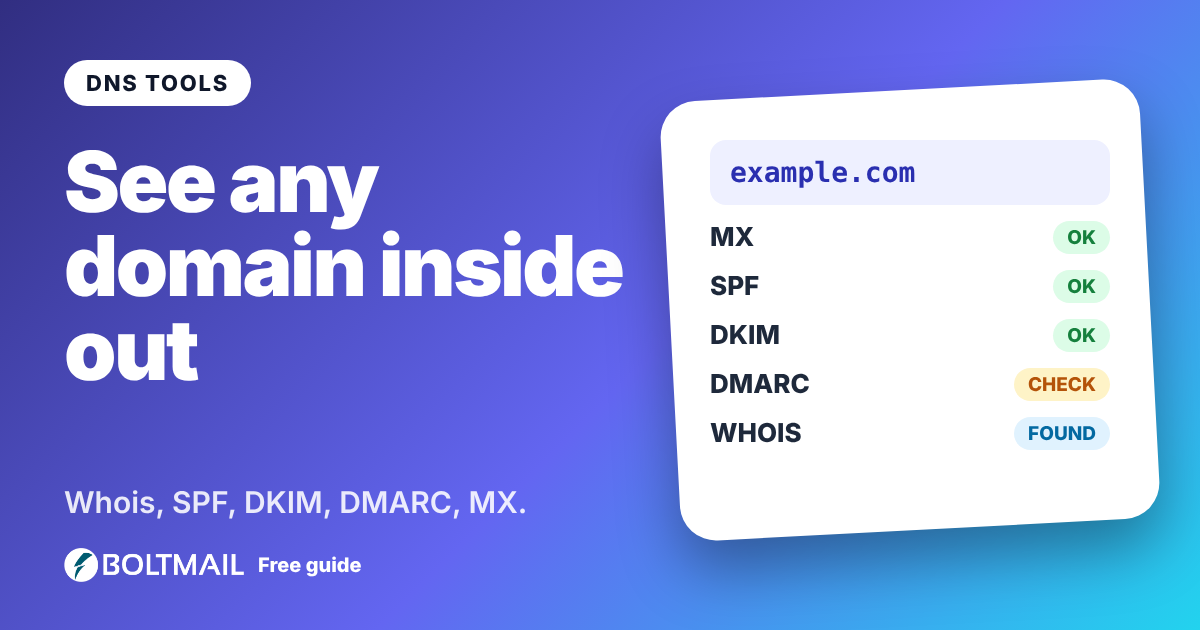
Who owns a domain, and is its email set up properly? A plain-English guide to Whois, DNS records, SPF, DKIM, DMARC, MX servers and blacklists.
More free tools
Everything works without an account.

Email Deliverability Tester
Send a real email to a one-time address and get a score out of 10, with SPF, DKIM, DMARC, blacklist and content checks.
Open tool
Email Header Analyzer
Paste raw email headers and see the route, delays, SPF, DKIM, DMARC and red flags.
Open tool
Password Generator
Create strong random passwords, passphrases and PINs with an entropy meter.
Open tool