Temp mail is a free email address that you can use immediately, without signing up, and that disappears on its own after a short time. You open a website, an address is created for you, and any message sent to that address shows up on the page. When you are finished, the inbox and everything in it is deleted. It is the fastest way to receive a confirmation link or a verification code without handing your real address to a website you do not know.
This guide explains how temp mail works behind the scenes, what it is genuinely good for, where it is the wrong tool, and how to get the most out of it. If you only want an address right now, get a free temporary email and come back to read the rest while your inbox waits.
What temp mail actually is
People use many names for the same idea: temp mail, temporary email, disposable email, throwaway email, 10-minute mail, burner email. They all describe an address that is not tied to a person, requires no password, and is meant to be short-lived. If you want to see how the terms differ, our guide to burner email versus throwaway and temporary email goes through them one by one.
A temp mail address is a real address. It has a name, an at sign and a domain, and any server on the internet can deliver mail to it. What makes it "temporary" is not the address itself but the way it is managed: nobody owns it, nothing is stored forever, and nothing about you is needed to use it.
How temp mail works behind the scenes
When you open a temp mail website, three things happen in the background:
- An address is created. The service picks a name (often two random words) and pairs it with one of its domains. In some services you can type your own name instead.
- The domain is set up to accept mail for everyone. The domain's mail records point at the service's mail server, which is configured as a "catch-all": it accepts a message for any name on that domain and files it under the matching address.
- Your browser asks for new messages. The page checks the server every few seconds. As soon as a message arrives for your address it appears in your inbox view.
Because the address is just a label on a shared mail server, there is no account, no password and nothing to log in to. Anyone who knows the exact address could in principle ask for its messages, which is why good services add a private link to each mailbox so that only the person who created it can open it.
What temp mail is good for
Temp mail shines whenever you need an address for a few minutes and you do not care about that account afterwards:
- Free downloads and e-books that ask for an address "to send you the link".
- Newsletters and discount codes you want once, without a year of promotions.
- Forum, game and app sign-ups you only want to look at.
- Free trials where you would rather not be chased by reminder emails. See how to sign up for free trials without getting spammed.
- Wi-Fi portals, giveaways and surveys that demand an address to continue.
- Testing your own sign-up forms. Developers use disposable inboxes all the time, as described in how developers use disposable email for testing.
What temp mail is not good for
The same properties that make temp mail safe for throwaway sign-ups make it a poor choice for anything you need to keep:
- Banking, tax, insurance and government accounts. You need to recover these years from now.
- Your main shopping accounts where order history, returns and warranty claims matter.
- Anything with a password reset you might need later. If the inbox is gone, so is the reset link.
- Work, school or health portals that expect a stable, identifiable address.
A simple rule works well: if losing access to the account would cost you money, time or data, use a real address. If you would shrug, use temp mail. For the middle ground, our comparison of temp mail, email aliases and real email helps you choose.
How to use temp mail step by step
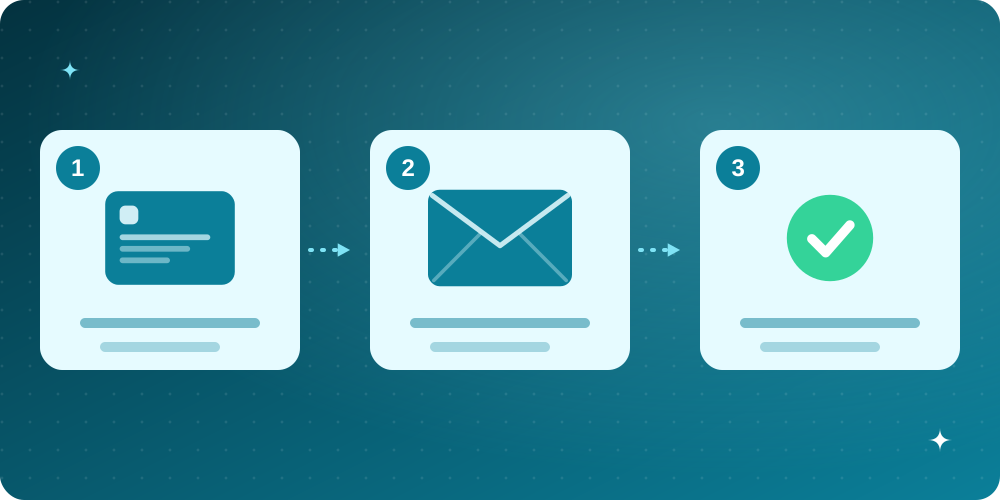
- Open the temp mail website. Your address appears at the top. Copy it with the copy button.
- Paste it into the sign-up form you want to complete and submit the form.
- Keep the temp mail tab open. The confirmation email usually arrives in seconds. Open it and click the link or copy the code.
- If the message does not appear, press refresh and check that you typed or pasted the address exactly. Some senders take a minute or two.
- When you are done, simply close the page, or delete the mailbox yourself to free the address.
If you want to continue on your phone, use the QR code or private link feature rather than copying the plain address. The private link opens your own inbox and nobody else's.

Is temp mail safe?
For low-stakes use, yes. The main risks are not technical but behavioural: using a disposable address for an account you later need, or receiving sensitive information in an inbox that other people might be able to open. Choose a service that makes inboxes private, never use temp mail for anything confidential, and treat every message as public-ish. We cover the risks and the myths in detail in Is temporary email safe?
Tips for getting the most from temp mail
- Use a new address per site. If one starts sending junk, you know exactly who sold or leaked it.
- Save codes immediately. Copy the verification code into the form before the tab closes.
- Do not reuse a temp address for important accounts. Someone else may be given the same name after it is released.
- Keep your real inbox for people. Friends, work and money stay on the address you control. Everything else can go to disposable inboxes. Our guide on how to stop spam emails shows how this habit keeps your inbox clean.
Frequently asked questions
Is temp mail free?
Yes. Most temp mail services, including this one, are free and do not ask for registration.
How long does a temp mail address last?
It depends on the service. Messages are usually deleted after a set time and unused addresses are released after a day or two. Treat every inbox as short-lived.
Can I send email from temp mail?
Generally no. Temp mail is receive-only, which is part of why it is hard to abuse.
Why did a website say my address is not allowed?
Some websites block known disposable domains. We explain why and what you can do in why websites block disposable emails.
Can someone read my temp mail?
If the inbox is public, anyone who knows the address could. Private mailboxes are tied to your browser and your secret link, so other people cannot open them by guessing the address.