Free trials are a great way to test software and services before you pay, but they come with a hidden cost: the moment you hand over your email address, you can expect a stream of onboarding tips, "we miss you" reminders, feature announcements and discount offers that keeps going long after the trial ends. This guide shows you how to try new things without turning your inbox into a billboard.
Why free trials flood your inbox
For a company, a trial sign-up is a marketing lead. Your address is added to an automated sequence designed to convert you into a paying customer, and it often stays on the list afterwards, sometimes shared with partners. A typical sequence has a welcome message, several "getting started" emails, a mid-trial check-in and a final countdown. If you never unsubscribe, the messages continue for months. Our guide to stopping spam emails for good explains how those lists grow and why they are hard to leave.
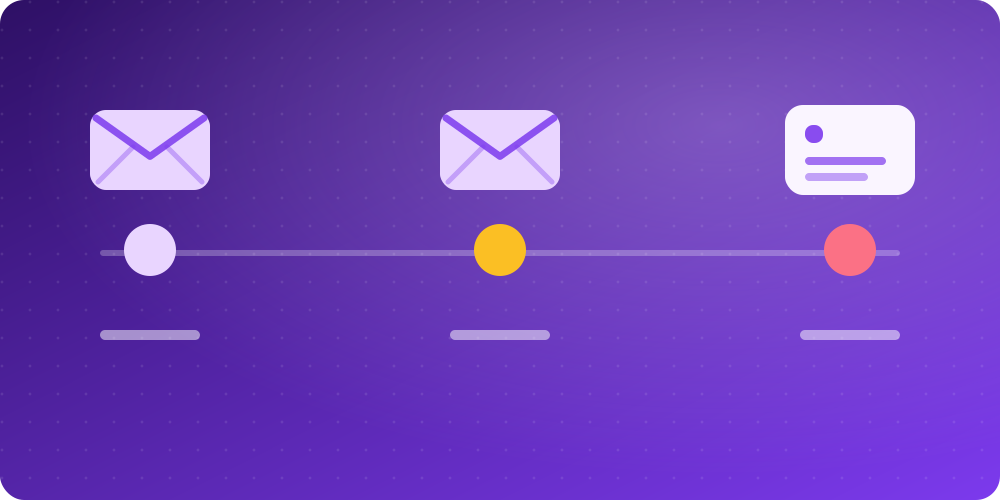
What a typical free trial email timeline looks like
Knowing the pattern helps you separate the emails you need from the ones you do not:
- Day 0: a welcome email, often with a confirmation link you must click.
- Days 1 to 5: onboarding tips and promotions, which you can safely ignore.
- Two to three days before the end: a reminder that the trial is about to finish. This one matters.
- Last day: the billing notice, including the price and the date you will be charged.
Only the confirmation link and the reminder or billing notice are useful. Everything else is marketing.
Step-by-step: try a free trial and keep your inbox clean
- Decide whether the trial is worth it. Read what is included and what the price becomes after the trial. If it needs a card, note the date it will be charged.
- Open a temporary inbox. Go to BoltMail. A fresh address is generated for you. Copy it.
- Sign up with that address. Paste it into the form. Use a strong, unique password if the site asks for one.
- Confirm the account. The verification message arrives in your inbox within seconds. Click the link and finish setting up.
- Set a reminder for yourself. Put a calendar alert two days before the trial ends so you decide on purpose whether to keep it.
- Cancel or convert. If you do not want to pay, cancel in the account settings before the trial ends. If you want to keep the service, change the account email to your real address first.
When a temporary address is the wrong choice for a trial
Temporary email is perfect for trials you are only testing. It is a bad idea if you expect to become a paying customer, because an account tied to a disposable address is hard to recover and invoices or security alerts would have nowhere to go. In that case use an alias on your real provider, or your real address. Our comparison of temp mail, aliases and real email helps you choose.
One more thing to be straight about: many services limit one trial per person and forbid creating several accounts to repeat a free offer. BoltMail is meant to protect your privacy and your inbox, not to get around a company's rules, so use it honestly and read the terms of the service you join.
A checklist before you start any trial
- Note the trial length and the exact end date.
- Check the price after the trial and whether it renews automatically.
- Look for a clear "cancel anytime" option and where it is.
- Consider paying with a virtual or single-use card if your bank offers one.
- Set a calendar reminder two days before the trial ends.
How to cancel before you are charged
Cancel from the account settings rather than only deleting the app, because deleting an app does not stop a subscription. Keep the cancellation confirmation, and if a charge still appears, contact the company and your bank. The U.S. Federal Trade Commission explains your rights in its guidance on getting out of free trials and auto-renewals.
Keeping your address private in the long run
Trials are just one way an address gets into marketing databases. A habit of giving a throwaway address to every one-off sign-up keeps your main inbox quiet, and it limits the damage if a company is hacked. You can read how that works in email privacy and data breaches, and decide how safe a disposable inbox is for your situation in is temporary email safe?
Final thoughts
You can try almost anything online without paying with your inbox. Use a temporary address for the trial, confirm the account, set a reminder and cancel or convert on purpose. When you are ready, open BoltMail and your trial address is already waiting.